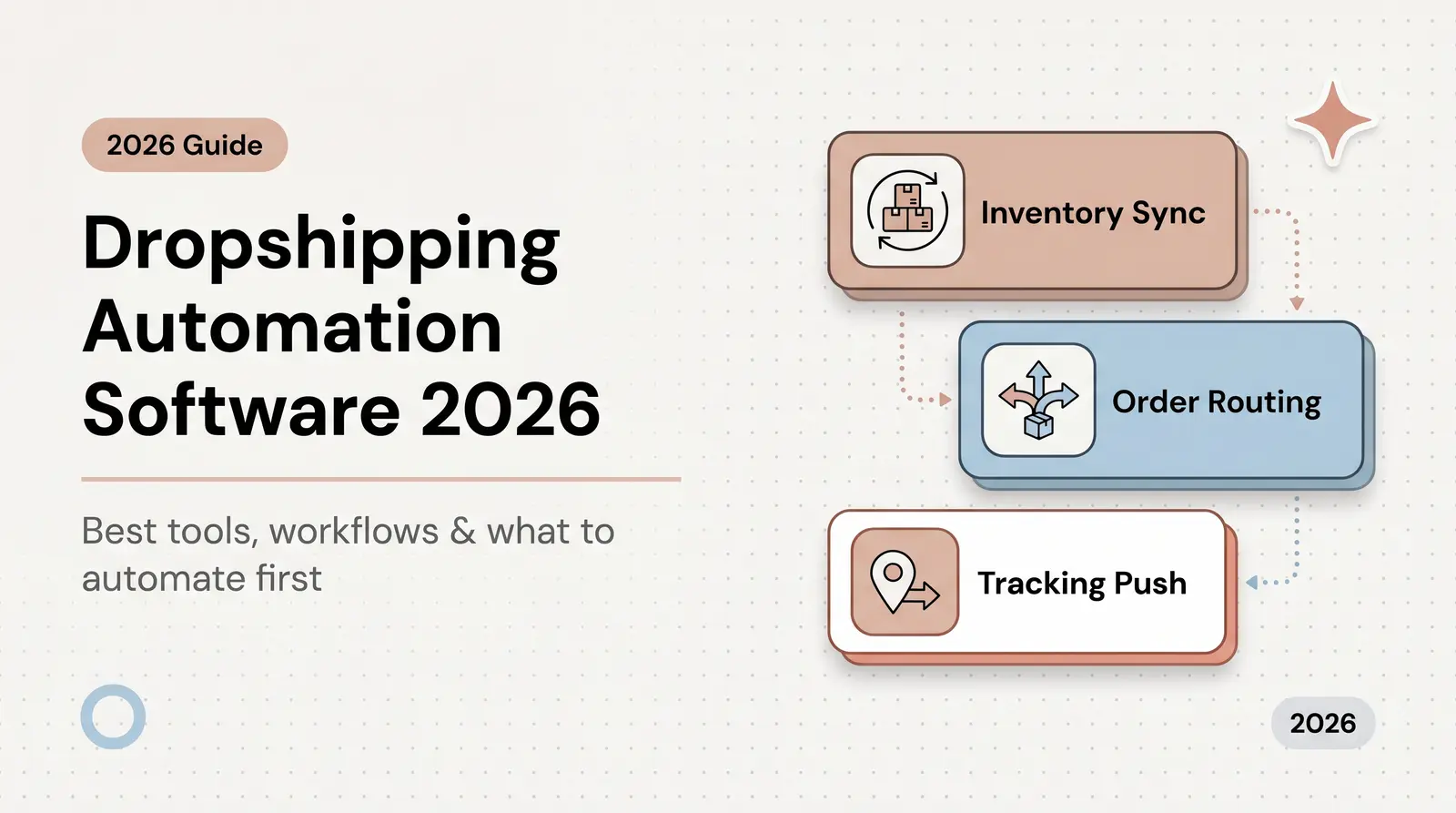



The FAROS framework automates dropshipping order routing, tracking sync, and exception handling to eliminate manual fulfillment failures and scale past $50K/month.
Published:
March 25, 2026
Author:
Yi Cui
Automation isn't tools. It's removing failure points.
Most dropshipping businesses over-invest in adding more apps to their tech stack and under-invest in eliminating the manual steps that cause refunds, chargebacks, and lost customers. The goal of a dropshipping automation workflow is not just to process orders faster. It's to build a resilient system that handles both the happy path and the inevitable failure path without requiring constant supervision.
In our experience at Branvas, the operators who scale past $50K/month aren't using more tools. They've systematically killed every manual handoff in their fulfillment stack. This article is the end-to-end playbook for doing exactly that.
When a dropshipping operation scales, the cracks in the foundation become visible fast. The failure points rarely stem from a lack of demand. They come from operational gaps that compound as order volume increases.
There are four primary failure points that disrupt the fulfillment pipeline. First, order routing delays create immediate bottlenecks. When managing multiple suppliers, manual routing requires an operator to evaluate each order, check inventory, and assign it to the correct vendor. This intervention can delay fulfillment by days, especially during peak seasons. Second, tracking number gaps occur when suppliers ship products but fail to sync the tracking data back to the store promptly. This creates a dangerous window where the customer assumes the order is lost, triggering a surge in support tickets. Third, out-of-stock propagation lag is a critical issue. If inventory synchronization relies on slow API updates or batch processing, stores end up selling products that suppliers no longer have, leading to forced cancellations and damaged customer trust [1]. Fourth, address validation misses result in packages shipped to undeliverable locations, incurring return fees and requiring costly reshipments.
There is a contrarian truth about scaling an ecommerce business: automation itself introduces new failure points if implemented without exception-handling logic. A fully automated system that blindly routes orders without verifying stock or validating addresses will simply process errors at a faster rate. In many cases, a semi-manual workflow with clear exception triggers outperforms a "fully automated" one with no fallback, because it prevents bad data from cascading through the supply chain [2]. We often see founders celebrate going "fully automated," only to discover three weeks later that 12% of orders were silently routing to a supplier who'd been out of stock the whole time.

To build a resilient operation, you need a structured approach to order management. The FAROS framework breaks down the fulfillment lifecycle into five distinct stages, ensuring that data is validated, routed, and monitored systematically.
F: Filter. This occurs immediately after an order is placed. The system validates the order data, checking for address accuracy, verifying SKU availability, and confirming payment status. If an address is flagged as invalid, the order is held before it ever reaches a supplier.
A: Assign. Once the order passes the filter, the system applies decision logic to match the order to the optimal supplier or warehouse. This assignment is based on predefined rules such as geographic proximity to the customer, real-time SKU availability, and cost tier.
R: Route. This is the execution phase where the automated purchase order is transmitted to the assigned supplier. The system tags the Shopify order to indicate its routing status and uses webhook triggers to initiate the fulfillment process on the supplier's end.
O: Observe. After routing, the system actively monitors the shipment. It polls tracking APIs to ensure the tracking sync to Shopify occurs promptly and watches for SLA breaches, such as a package sitting in "pre-transit" for too long. This stage relies on tools like AfterShip, TrackingMore, or native Shopify tracking features.
S: Solve. When the observation layer detects an anomaly, it triggers the exception workflow. This is where predefined playbooks take over to resolve issues like stalled tracking or post-order stockouts before the customer requests a refund.
| Stage | Name | Core Action | Trigger | Failure Risk if Skipped |
|---|---|---|---|---|
| F | Filter | Validate order data | Order created | Bad address, OOS routing |
| A | Assign | Match order to supplier | Post-filter | Wrong supplier, cost bleed |
| R | Route | Send PO + tag order | Post-assign | Order never fulfilled |
| O | Observe | Monitor tracking + SLAs | Fulfillment confirmed | Silent delays, WISMO spike |
| S | Solve | Trigger exception workflow | Anomaly detected | Refunds, chargebacks |

Configuring the order routing automation layer is the technical core of the FAROS framework. This layer dictates how orders flow from your Shopify checkout to your suppliers' warehouses. The setup depends on the complexity of your supply chain and the tools you deploy.
For multi-supplier setups, decision logic is paramount. You need priority rules that dictate which supplier receives an order first. This often involves geo-routing, where the system analyzes the customer's shipping address and routes the order to the closest warehouse with available stock. If the primary supplier is out of stock, the system must automatically fall back to a secondary supplier. Tools like DSers, AutoDS, and Zendrop offer built-in supplier mapping and bulk order placement features that handle this logic seamlessly [3]. Shopify Flow allows merchants to build custom, rules-based workflows using order tags as routing signals. An order tagged "US-Customer" can trigger a flow that routes the fulfillment request exclusively to domestic partners [4].
Here is a concrete example. A private-label jewelry brand receives 80 orders on a Monday. The FAROS system filters the batch, and 72 orders go directly to primary supplier A based on stock availability and optimal shipping rates. Six orders are flagged and held because the address validation API detected missing apartment numbers. The remaining two are held pending stock confirmation because the requested SKUs fell below the safety threshold during the weekend rush. That automated triage prevents eight potential fulfillment failures before a single human has to intervene.
For brands that want this routing layer handled end-to-end, including strict blind shipping protocols so the customer only ever interacts with your brand, Branvas's fulfillment infrastructure does exactly this. You can learn more at branvas.com/how-it-works.

Tracking sync gaps are the number one source of WISMO tickets. WISMO queries account for 30% to 40% of all ecommerce support tickets, and that number spikes past 50% during peak seasons [5]. When a customer cannot see their order moving, they contact support. Every WISMO ticket that reaches a human agent costs between $5 and $22 to resolve [5].
Choosing the right tracking sync method matters. Native Shopify tracking works for simple, single-supplier setups, but it lacks the robust, branded experience required for premium dropshipping. App-based solutions like AfterShip, TrackingMore, and Parcel Panel centralize data from hundreds of carriers and offer customizable tracking pages [6]. These tools allow you to automate customer notification emails and SMS messages triggered by specific tracking status changes: fulfilled, in transit, out for delivery, delivered, and exception.
From a technical perspective, tracking updates can be handled via webhooks or polling. Polling involves your system repeatedly asking the carrier's API for updates at set intervals, which is resource-intensive and slightly delayed. Webhooks allow the carrier's system to push an update to your store the moment a scan occurs. For real-time accuracy, webhook-based tracking sync is the right approach.
Blind shipping requires a clean tracking handoff. The customer should only ever see the brand's name on the tracking page and in notifications, never the underlying supplier or manufacturer. This is a non-negotiable standard for any serious private-label operation.

Even the most sophisticated dropshipping automation workflow will encounter exceptions. The difference between a profitable operation and a failing one is how those exceptions are handled. A practical playbook ensures anomalies are resolved quickly and systematically.
Despite real-time inventory sync, overselling can still occur due to API latency or multi-channel conflicts [7]. The detection trigger is an inventory webhook failure or a rejection response from the supplier's order management system. The automated action should immediately hold the order in Shopify, alert the operations team, and trigger a lookup for a substitute SKU. If a substitute is available, the system routes the order to the backup supplier. If not, the customer communication logic kicks in. The customer receives an automated email offering a choice between a similar item or an immediate refund. The recommended resolution SLA is 24 hours.
Shipping to an invalid address guarantees a returned package and a lost shipping fee. The detection trigger should occur at the filter stage, using an address validation API like EasyPost or Lob during checkout or immediately post-purchase [8]. The automated action places the order on hold and sends an email and SMS requesting address confirmation from the customer. If there is no response within 24 hours, the escalation path flags the ticket for manual review. The cost of not catching this exception includes the initial shipping fee, the return processing cost, the reshipping cost, and the high probability of customer churn.
A package that ships but stops moving is a major driver of WISMO tickets. The detection trigger is a lack of tracking scans for 72 hours after the initial fulfillment confirmation. The automated action sends an alert to the operations team and dispatches a proactive customer notification acknowledging the delay. The investigation checklist involves verifying the carrier status and contacting the supplier. If the carrier confirms the package is lost, or if it remains stalled for five days, the system triggers a reshipment or a full refund depending on inventory availability.
| Exception Type | Detection Method | Auto-Action | Manual Escalation Trigger | Recommended SLA |
|---|---|---|---|---|
| Out-of-stock post-order | Inventory webhook / SKU sync | Hold order, alert ops | No substitute SKU available | Resolve or cancel within 24h |
| Address validation fail | Address API at checkout/filter | Email customer for correction | No response in 24h | Reship or refund within 48h |
| Tracking stalled (72h+) | Tracking API polling | Proactive customer email | Carrier confirms lost | Reship or refund within 5 days |
| Payment hold / fraud flag | Shopify fraud analysis | Auto-hold, flag for review | Score above threshold | Review within 2h |

Proactive communication is the most effective way to reduce fulfillment issues and manage customer expectations. A well-designed notification sequence keeps the customer informed at every stage of the journey, cutting the volume of inbound support requests significantly. Research shows that proactive shipment alerts alone can reduce WISMO inquiries by up to 75% [5].
The full notification sequence maps to the order lifecycle. It begins with the Order Confirmed email, which sets the baseline delivery expectation. Next is the Fulfillment Started notification, letting the customer know their item is being prepared. The Tracking Added email is the most critical, providing the link to the branded tracking page. Subsequent triggers include In Transit updates, Out for Delivery alerts, and the final Delivered confirmation. A Post-Purchase Follow-up email sent a few days after delivery can then be used to request a review or offer a discount on the next purchase.
Klaviyo, Postscript, and Shopify Email are the recommended tools for executing this sequence. These platforms integrate deeply with Shopify and tracking apps, allowing you to build complex, trigger-based flows [9]. The key principles are brand voice consistency and strict blind shipping compliance. The supplier's name or location should never appear in the tracking updates. The communication must always be proactive rather than reactive.
If you're launching a private-label jewelry brand and want a fulfillment partner that already has these notification workflows baked in, Branvas's brand partners get this out of the box. See how Branvas works →

Building a reliable dropshipping automation workflow requires selecting the right tool for each stage of the process. The ecosystem has matured significantly, with specialized solutions that integrate seamlessly with Shopify. The table below maps each automation category to the leading tools and their best use cases.
| Category | Tool Options | Best For | Shopify Native? |
|---|---|---|---|
| Order routing automation | DSers, AutoDS, Zendrop, Shopify Flow | AliExpress / multi-supplier routing | Partial / Yes |
| Tracking sync | AfterShip, TrackingMore, Parcel Panel | Branded tracking pages + notifications | Via app |
| Inventory sync | Skuvault, Cin7, Inventory Planner | Multi-SKU, multi-supplier stock | Via integration |
| Customer notifications | Klaviyo, Postscript, Shopify Email | Post-purchase flows + exception alerts | Partial / Yes |
| Address validation | EasyPost, Lob, Shopify's native | Pre-fulfillment address checks | Partial |
| Exception management | Gorgias + Zapier triggers, custom Flows | Escalation routing, ticket creation | Via integration |
The most important principle when selecting tools is integration depth. A tool that does not communicate cleanly with Shopify creates a manual handoff, and manual handoffs are exactly what you're trying to eliminate. Prioritize tools with native Shopify apps or well-documented webhooks over those requiring custom middleware.

To illustrate how this system operates in practice, let's trace a single order through the full FAROS workflow for a private-label jewelry brand.
At 10:15 AM on a Tuesday, a customer named Sarah places order #8492 for a custom-engraved pendant at $89. The Filter stage immediately validates the shipping address using the Lob API and confirms the payment has cleared Shopify's fraud analysis. The data is clean, so the order proceeds.
The Assign stage evaluates the SKU (SKU: PEND-ENG-SLV-001). The system recognizes this as a custom engraving item and assigns it to the specialized engraving facility in New York, rather than the general fulfillment warehouse in California, based on the SKU routing rule configured in Shopify Flow.
During the Route stage, the system tags order #8492 as "Engraving-NY" and transmits the purchase order via webhook to the New York facility's order management system at 10:16 AM. The supplier begins production. The customer receives an Order Confirmed email from the brand at 10:17 AM with an estimated delivery window.
Two days later, on Thursday at 2:30 PM, the item ships. The Observe stage detects the tracking number via AfterShip, syncs it to Shopify within minutes, and triggers a Klaviyo email to Sarah with a branded tracking link. The tracking page shows the brand's name and logo, with no mention of the supplier. However, 72 hours later, on Sunday morning, the observation layer flags an anomaly: the tracking status has been stuck on "Label Created" without a carrier scan.
The Solve stage is triggered automatically. The system dispatches a proactive email to Sarah: "Hi Sarah, we noticed your pendant is taking a little longer than usual to update its tracking status. Our team is on it and will make sure it gets to you." Simultaneously, a Gorgias ticket is created for the operations team with the order ID, tracking number, and a timestamp of the last carrier scan. The team contacts the facility, discovers the package was misplaced on the loading dock, and expedites a replacement shipment. Sarah receives a follow-up email with the new tracking number. The potential chargeback is avoided, and the customer's trust is maintained.
A dropshipping automation workflow is a system of software tools and predefined rules that manage the entire order lifecycle without manual intervention. It handles order routing, inventory synchronization, tracking sync to Shopify, and customer notifications, while also including logic to manage exceptions like out-of-stock items or invalid addresses.
You can sync tracking numbers automatically by integrating a tracking app like AfterShip, TrackingMore, or Parcel Panel with your Shopify store. These apps connect to your suppliers or carriers via API or webhooks, pull the tracking data as soon as a label is created, and push that information directly into the Shopify order timeline, triggering automated customer notifications in the process.
If an item goes out of stock post-purchase, an automated workflow should immediately hold the order and alert your operations team. The system can be configured to search for a substitute SKU from a backup supplier. If no substitute is available, an automated email should notify the customer and offer a refund or an alternative product within a 24-hour SLA.
You can automate customer notifications by connecting your tracking app to an email and SMS platform like Klaviyo or Shopify Email. You then build trigger-based flows that send specific messages when the tracking status changes to "fulfilled," "in transit," "out for delivery," or "delivered." Proactive shipment alerts reduce WISMO inquiries by up to 75%, making this one of the highest-ROI automations you can implement.
To reduce fulfillment issues in 2026, use Shopify Flow or AutoDS for reliable order routing automation, AfterShip for accurate tracking sync to Shopify, EasyPost or Lob for pre-fulfillment address validation, Klaviyo for automated customer notifications, and Gorgias for centralized exception management and customer support escalation.
Automation is about eliminating failure points, not stacking more tools. Every manual handoff in the fulfillment process is a liability. The operators who scale sustainably are the ones who build systems that catch problems before customers do.
The FAROS framework, Filter, Assign, Route, Observe, Solve, is the operating system for sustainable dropshipping at scale. It ensures orders are processed accurately, tracking is synced flawlessly, and exceptions are handled proactively before they become refund requests.
If you're building a private-label jewelry or accessories brand and want fulfillment, routing, and tracking handled for you, Branvas is built for exactly this. Explore Branvas's Brand-as-a-Service →
For more on how our infrastructure supports scaling brands, see our pricing and plans.