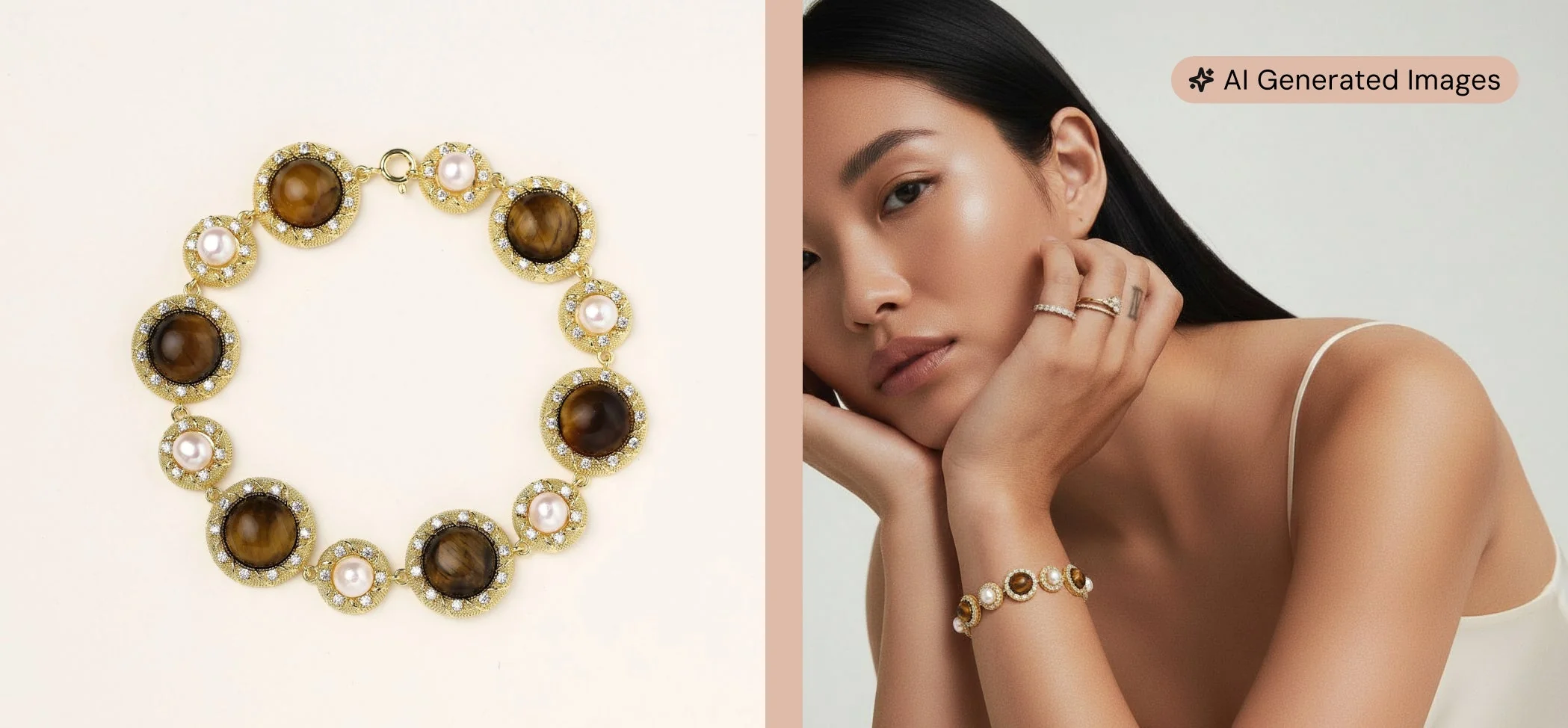



Seven budget-friendly jewelry photography hacks help Shopify store owners capture high-converting product images using natural light, smartphones, and DIY setups.
Published:
April 7, 2026
Author:
Yi Cui
Studio-quality photos without the studio-quality bill.
Most new jewelry brand founders lose sales not because of bad products, but because of bad photos. When a customer lands on your Shopify store, they can't touch the metal, feel the weight of the chain, or see how the gemstone catches the light. Your product images have to do all the heavy lifting. In fact, industry data shows that high-quality product photos can increase conversion rates by up to 94% [1]. If your photos look amateur, shoppers will assume your jewelry is, too.
In this guide, we will walk through seven actionable hacks for capturing high-converting jewelry images using natural light and a smartphone. You don't need a $3,000 DSLR camera or a professional studio to make your products look premium. At Branvas, we help founders launch jewelry brands fast. Great photos are just one piece of the puzzle. If you are ready to build a brand without the sourcing and fulfillment headaches, explore how Branvas works.
You do not need expensive strobe lights to capture stunning jewelry photos. Natural window light is often the most flattering light source for metals and gemstones, provided you know how to control it. The key is diffusion. Direct sunlight will create harsh, unflattering shadows and intense glare that blows out the details of your pieces.
Instead, set up your shooting area next to a large window, ideally north- or south-facing, to avoid direct sunbeams. If the light is still too harsh, tape a sheer white curtain or a piece of white parchment paper over the window. This acts as a giant softbox, diffusing the light and wrapping your jewelry in a soft, even glow. Shoot during the mid-morning or early afternoon when the light is brightest but indirect. Position your setup so the light hits the jewelry from a 45-degree angle, which helps highlight the texture and depth of the piece without flattening it out.

Modern smartphones are more than capable of capturing professional-grade product photos, but you need to optimize your settings first. Start by cleaning your lens. A smudge on your phone's camera will create a hazy, soft-focus effect that ruins the crispness required for jewelry photography.
Next, turn on your camera's gridlines to ensure your flat-lays and straight-on shots are perfectly level. For jewelry, you should generally turn off HDR (High Dynamic Range). While HDR is great for landscapes, it can sometimes process the reflections and highlights on shiny metals unnaturally. Be cautious with Portrait Mode as well; while the blurred background (bokeh) looks great, the software often struggles with the intricate edges of fine chains or prong-set stones, artificially blurring parts of the jewelry itself. Instead, get physically closer to the piece or use your phone's optical zoom (like the 2x or 3x lens) to compress the background naturally. Finally, use burst mode if you are trying to capture a piece in motion, such as a dangling earring catching the light.

A clean, consistent background is the hallmark of a professional Shopify store. You can build a highly effective DIY lightbox for under $20 using materials from a local craft store. All you need are three pieces of white foam board and some tape. Tape the boards together to form a three-sided box (a bottom and two sides). This setup not only provides a seamless white background but also bounces light back onto the jewelry, filling in dark shadows.
For flat-lays, invest in a few inexpensive styling boards or rolls of contact paper. A roll of faux marble contact paper stuck to a piece of cardboard creates an instant, luxurious surface for flat-lays. The goal is to create a controlled environment where the background does not distract from the product. A pure white background is the e-commerce standard because it highlights every curve and metal tone, making it easier for customers to evaluate the piece [2].

While white background shots are essential for your main product image, lifestyle and styled shots are what build brand identity and emotional connection. However, props should enhance the jewelry, not overpower it. Use subtle, texturally contrasting props like velvet ring trays, raw stone slabs, or minimalist acrylic blocks to add depth to your images.
When it comes to modeling the jewelry, human models generally perform better than mannequins. Seeing a necklace on a real collarbone or a ring on a hand helps the customer understand the scale and drape of the piece. If hiring a model isn't in the budget, use yourself or a friend. Just ensure the skin is moisturized and the nails are clean and neutrally manicured. For your Shopify listings, lead with a clean white-background shot, but follow it up with styled and lifestyle images to provide context.

A single photo is never enough. Baymard Institute's UX research reveals that 42% of users attempt to gauge the overall scale and size of a product from its images, and without an "in scale" reference, they often draw inaccurate conclusions [3]. Shopify best practices recommend aiming for 4 to 6 images per product listing.
For jewelry, your shot list should include:
Providing multiple angles reduces customer hesitation and significantly lowers return rates, as buyers know exactly what they are getting.

Post-processing is where good photos become great, but over-editing is a common trap. Your goal is to accurately represent the jewelry, not to create a digital illusion. If a customer receives a rose gold ring that looked yellow gold in the photo, they will return it.
Use free or low-cost apps like Snapseed or Adobe Lightroom Mobile to make minor adjustments. Focus on correcting the white balance so your silvers look crisp and your golds look warm, not green. Boost the exposure slightly to make the image pop, and use the healing brush tool to remove any stray dust particles or lint. If you need to isolate the jewelry for a pure white background, tools like remove.bg or Canva's background remover can do the heavy lifting in seconds. The most important rule is consistency: apply the same edits and color grading across your entire catalog so your Shopify collection page looks cohesive.

Beautiful photos won't help you if they slow down your website so much that customers leave before the page loads. A one-second delay in page load time can increase the bounce rate by 32% [4]. Therefore, optimizing your images for speed and SEO is critical.
First, resize your images. Shopify recommends 2048 x 2048 pixels for square product photos, which provides a high-resolution image that allows for zooming without being unnecessarily massive. Second, compress your files. Use free tools like TinyPNG to reduce the file size to under 200 KB without losing visual quality. Consider saving your images in the WebP format, which provides superior compression compared to JPEG or PNG.
Finally, optimize your file names and alt text for SEO. Never upload an image named IMG_9876.jpg. Rename it to something descriptive, like minimalist-gold-paperclip-chain-necklace.jpg. Add descriptive alt text to every image in Shopify, which improves accessibility and helps your products rank in Google Image Search.

Before you hit publish on your new Shopify listings, run your images through the Branvas Product Photography Readiness Framework (PPRF). We use this 5-point scoring rubric at Branvas when helping new brand founders prep their stores. Score each criterion from 1 to 3. A total score of 12 or higher means you are ready to launch.
| Criterion | What to Check | Score 1 (Needs Work) | Score 2 (Acceptable) | Score 3 (Publish-Ready) |
|---|---|---|---|---|
| 1. Lighting Quality | Are the details visible without harsh glare or deep shadows? | Harsh shadows, blown-out highlights, or blurry details. | Even lighting, but slightly dull or flat. | Soft, diffused light highlighting texture and metal tone perfectly. |
| 2. Background Consistency | Do the main product images have a uniform background? | Cluttered, distracting, or inconsistent backgrounds across the catalog. | Mostly clean, but slight variations in white balance or tint. | Seamless, pure white or perfectly consistent branded background. |
| 3. Angle Coverage | Are there enough photos to show scale and detail? | Only 1-2 photos; no detail shots or scale reference. | 3-4 photos; shows front and back, but lacks lifestyle/scale context. | 5+ photos; includes macro details, multiple angles, and a human model for scale. |
| 4. Edit Consistency | Is the color grading accurate and uniform? | Colors look unnatural; obvious over-editing or heavy filters. | Colors are mostly accurate, but slight variations between shots. | True-to-life colors; consistent exposure and white balance across all images. |
| 5. SEO Optimization | Are the files compressed and named correctly? | Large files (>1MB); generic names like IMG_123.jpg; no alt text. |
Compressed files; basic names; missing alt text on some images. | Files <200KB; descriptive, keyword-rich file names; accurate alt text on all images. |
Worked Example: Maya's Minimalist Gold Necklace Line
Maya is launching a new collection and audits her photo set using the PPRF.

It sounds counterintuitive, but overly polished, studio-perfect images can actually reduce trust and relatability for micro-brands and creator-led jewelry labels. Consumers are increasingly skeptical of flawless, hyper-curated feeds. In fact, 84% of people are more likely to trust a brand if they use user-generated content (UGC) or authentic imagery in their marketing [5].
When a new, small brand launches with images that look like they belong in a high-end luxury magazine, it can sometimes signal "dropshipper" or "faceless corporation" rather than an authentic, founder-led business. Consumers expect authenticity from small brands. They want to see the jewelry in real-world lighting, worn by real people.
At Branvas, we often see new founders over-invest in expensive photo shoots before they've validated their first collection. It almost never moves the needle the way a genuine lifestyle shot does. A slightly imperfect photo taken on an iPhone that shows how a necklace catches the golden hour light on a real person's skin will often out-convert a sterile, heavily photoshopped studio render.

You do not need to buy a dedicated camera if you are on a budget. The best camera is the smartphone you already own. Recent iPhone and Android models have excellent lenses and sensors. If you want to upgrade slightly, invest in a cheap macro lens attachment for your phone to capture extreme close-ups of gemstones and clasps.
Aim for 4 to 6 high-quality images per listing. This should include a primary white-background hero shot, a macro detail shot, an angle shot showing the depth of the piece, and at least one lifestyle or scale shot showing the jewelry being worn.
The secret to avoiding glare on reflective metals is diffusion. Never use direct sunlight or your camera's built-in flash. Use a sheer white curtain over a window to soften natural light, or use a DIY lightbox made of white foam board to bounce soft, even light onto the piece. If you still have dark reflections, hold a piece of white paper near the jewelry to reflect white light back onto the dark spots.
A pure white background is the e-commerce standard and generally converts best for the primary product image because it removes all distractions and highlights the metal and stones clearly. However, for secondary images, lifestyle backgrounds or textured surfaces (like marble or velvet) can help build brand aesthetic and emotional appeal.
While you don't strictly need a professional model, showing the jewelry on a human body is highly recommended. It provides crucial context for scale and drape that a flat-lay simply cannot convey. You can easily model the pieces yourself or ask a friend; just ensure the focus remains tightly on the jewelry.
Capturing high-converting jewelry photos for your Shopify store doesn't require a massive budget or a professional studio. By mastering natural light, optimizing your smartphone settings, building a simple DIY setup, and focusing on the details that matter to buyers, you can create imagery that builds trust and drives sales. The mindset shift is simple: great photos are achievable right now, with the tools you already have.
If you're ready to go beyond the photos and launch a fully branded jewelry line, without sourcing headaches or fulfillment stress, explore how Branvas works or browse the catalog.